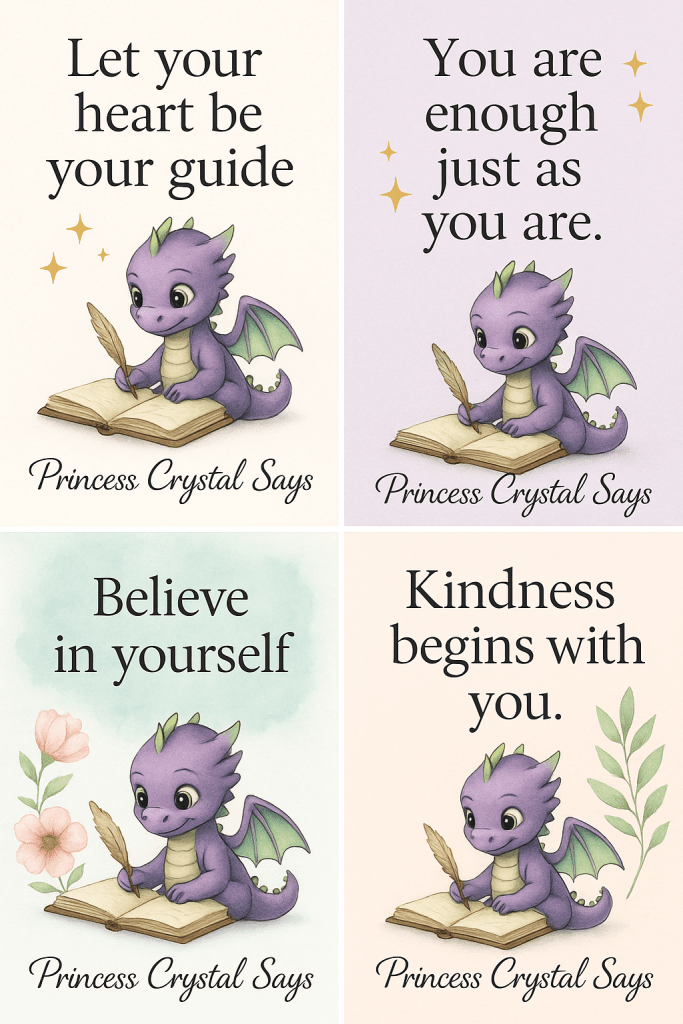
Quotes have a way of inspiring and connecting with people instantly. When you turn them into visuals, they become even more powerful—easy to share, eye-catching, and memorable. Whether for your blog, social media, or brand, quote graphics are a simple yet effective way to engage your audience.
✨ Step 1: Choose the Right Quotes
Select quotes that resonate with your audience. These could be motivational, faith-based, or lessons from your own writing. Short, impactful quotes work best—they’re easier to read and remember.
🌱 Step 2: Keep It On-Brand
Your quote graphics should reflect your style. Use your brand’s colors, fonts, and themes so readers instantly recognize your work. Consistency creates trust and strengthens your brand identity.
💕 Step 3: Use Design Tools
Tools like Canva, Adobe Express, or Figma make designing easy. They offer ready-made templates where you can simply plug in your quote and customize with your branding. Add your website or logo so people know where it came from.
🌟 Step 4: Add Visual Elements
A plain background works, but adding subtle graphics makes your quotes more engaging. Think sparkles, flowers, watercolor textures, or even your baby dragon mascot. Keep the design simple so the quote remains the focus.
🖋️ Step 5: Share Widely
Use your graphics across social media, in blog posts, newsletters, or even as printable downloads. Consistent sharing increases visibility and positions you as a source of daily encouragement.
🌍 Final Thoughts
Turning quotes into graphics doesn’t just make your content beautiful—it makes it shareable. Every graphic is an opportunity to inspire someone and bring more people back to your blog.
🌍 Discover more creative tips at princesscrystalsays.com
With love and light,
Crystal Amon
Copyright 2025
💫 Princess Crystal Says: Professional writing with a personal touch.

 Princess Crystal Says
Leave a comment